Blog
Video ad specs 2026: TikTok, Instagram Reels, YouTube Shorts and Meta feeds
Aspect ratios, resolutions, lengths, file limits and safe zones for TikTok, Reels, Shorts and Facebook feed video ads, checked against official pages.
Published October 20, 2026 · 5 min read
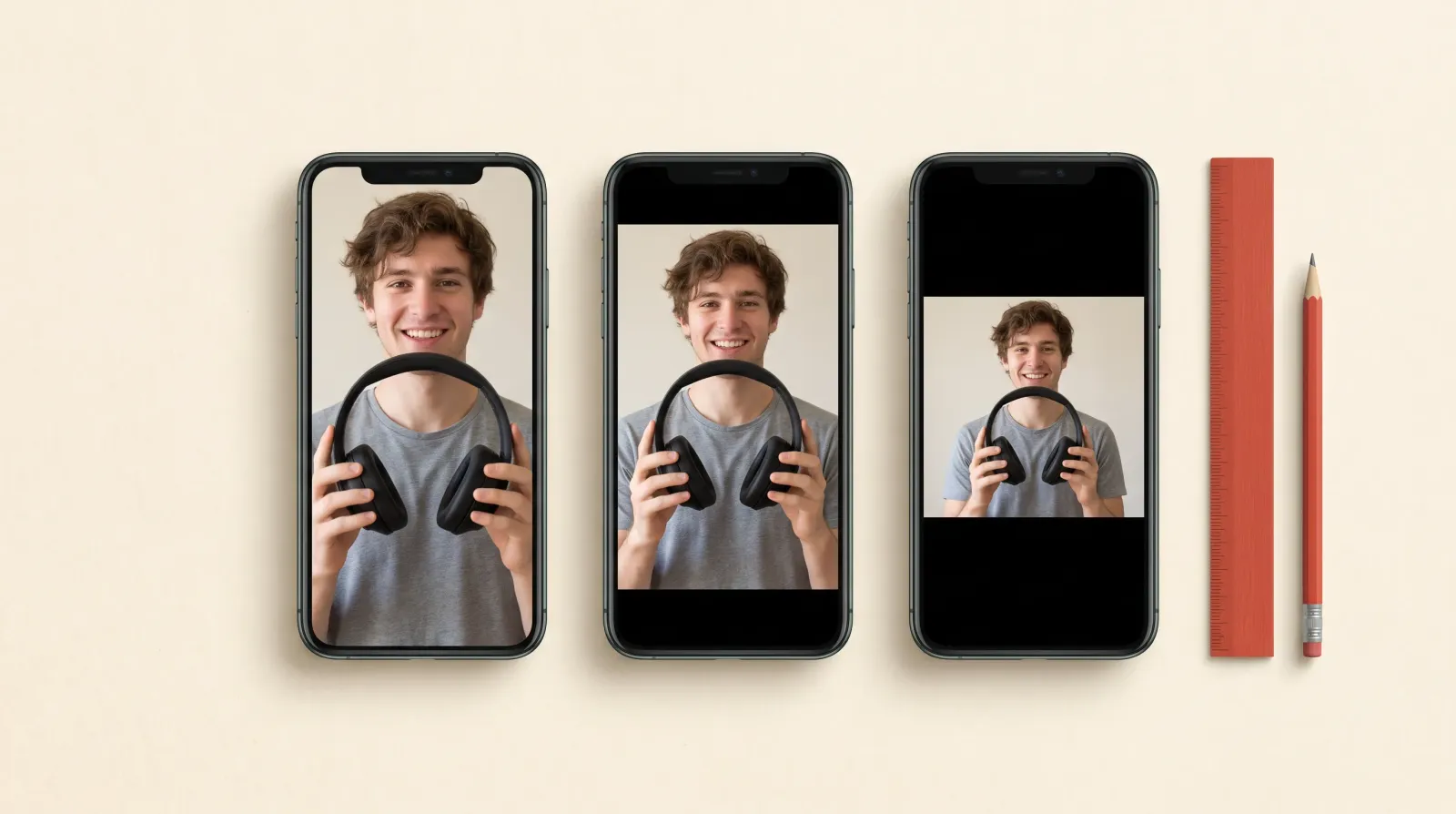
The short answer: export vertical 9:16 video at 1080×1920 as an H.264 MP4, keep every word and logo inside the central safe area, and add a 4:5 cut for feeds. That one master covers TikTok, Instagram Reels, Facebook Reels and YouTube Shorts. The tables below give the exact numbers each platform publishes, as checked on their official pages in October 2026.
Specs at a glance
| Placement | Aspect ratio | Resolution | Length | File |
|---|---|---|---|---|
| TikTok In-Feed | 9:16 recommended; 1:1 and 16:9 accepted | At least 540×960 (9:16) | Up to 10 minutes | MP4, MOV, MPEG, 3GP or AVI, up to 500 MB, at least 516 kbps |
| Instagram Reels | 9:16 | 1440×2560 recommended | Up to 15 minutes | MP4 or MOV, up to 4 GB |
| Facebook Feed | 4:5 | 1440×1800 recommended | 1 second to 241 minutes | MP4, MOV or GIF, up to 4 GB |
| YouTube Shorts | 9:16 | 1080×1920 recommended, 720×1280 minimum | Any length; only the first 180 seconds play in Shorts, under 60 seconds recommended | MP4, MOV, WebM and others |
TikTok ad specs
- Aspect ratio: 9:16 is recommended (at least 540×960); 16:9 needs at least 960×540 and 1:1 at least 640×640.
- Length: up to 10 minutes for non-Spark In-Feed ads; Spark Ads, which run an organic post, have no limit.
- File: .mp4, .mov, .mpeg, .3gp or .avi, 500 MB or less, bitrate at least 516 kbps.
- Ad text: shown in white in a fixed font, with no links, @ mentions or hashtags. The display name is one line of up to 20 Latin characters.
- Safe zone: TikTok publishes downloadable safe-zone files instead of fixed numbers, because the covered area depends on the ratio and the length of the ad text. Arabic ads have their own right-to-left file.
Instagram and Facebook Reels ad specs
- Aspect ratio: 9:16, full screen; Meta recommends 1440×2560, and 1080×1920 is the common export.
- Length: from 0 seconds up to 15 minutes.
- File: MP4 or MOV, up to 4 GB.
- Primary text: about 44 characters before it is cut off.
- Safe zone: keep at least 14% at the top, 35% at the bottom and 6% on each side free of text, logos and other key elements; the interface covers those areas.
Facebook and Instagram feed video specs
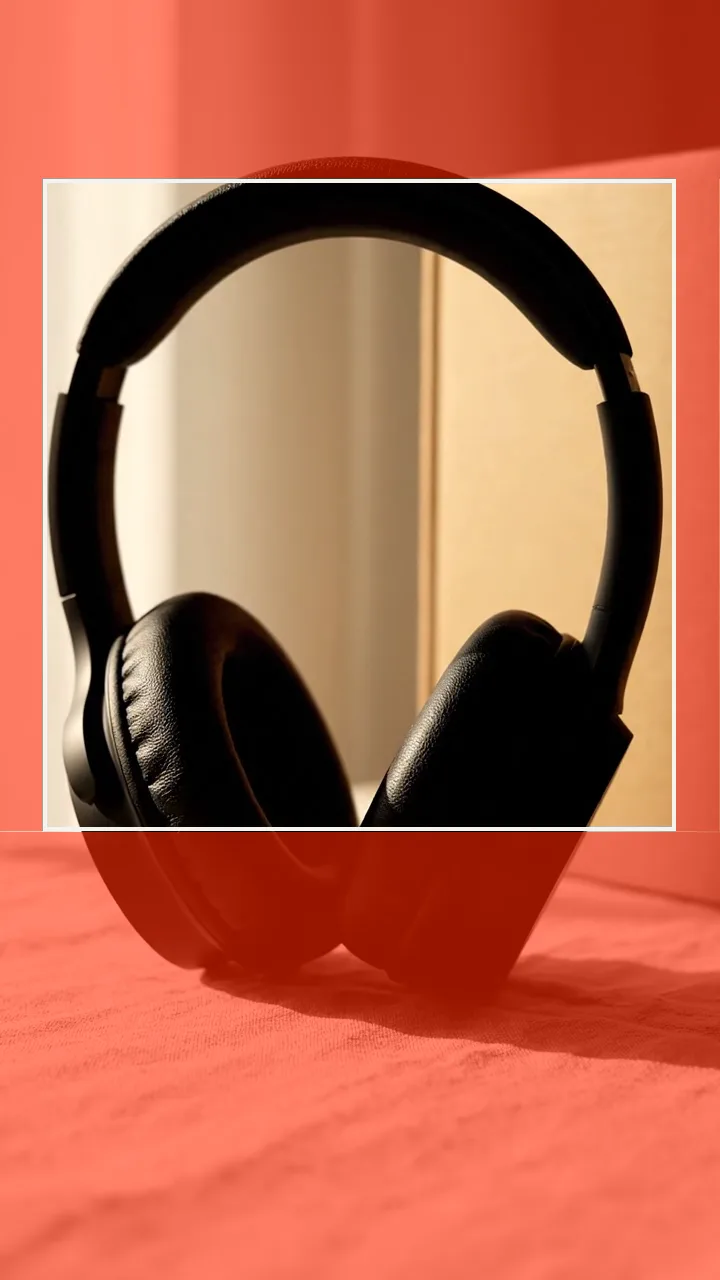
Meta’s ads guide recommends 4:5 for feed video, at 1440×1800, from 1 second to 241 minutes, as MP4, MOV or GIF up to 4 GB. Primary text works best between 50 and 150 characters and the headline at about 27. Meta also recommends H.264, square pixels, a fixed frame rate and stereo AAC audio at 128 kbps or more. A 4:5 crop of your 9:16 master keeps the subject large in the feed without black bars.
YouTube Shorts ad specs
Google lists 9:16 as the vertical ratio, with 1080×1920 recommended and 720×1280 as the minimum for HD; 4:5 and 2:3 are accepted too. Any length can be uploaded, but only the first 180 seconds play in the Shorts feed and Google recommends Shorts ads under 60 seconds. Accepted files include MP4, MOV and WebM.
One master, three aspect ratios
Shoot or render vertically, then crop from the centre: 9:16 for Reels, TikTok and Shorts, 4:5 for feeds, 1:1 where square still performs. Cropping only works if the subject sits in the middle of the frame. Keep the product and the face in the central square of the 9:16 frame and every cut keeps them.
How long should a vertical video ad be?
The limits are long, but attention is short. TikTok’s own creative guidance has long pointed to 21 to 34 seconds for in-feed ads, Google recommends Shorts ads under 60 seconds, and most UGC-style ads land between 15 and 30 seconds: a hook in the first two seconds, a demonstration, then the offer. Test a 15-second and a 30-second cut of the same script before going longer.
Export checklist
- H.264 MP4, 1080×1920, 30 fps, AAC stereo audio.
- Captions burned in and placed inside the safe area, not in the bottom third.
- Product and face inside the central square, so the 4:5 and 1:1 crops keep them.
- No price, logo or call to action in the top 14% or bottom 35%.
- A 4:5 version for Facebook and Instagram feeds.
- For Arabic ads, check the right-to-left safe-zone file TikTok provides.
What AdFace exports
AdFace renders MP4 ads in the format chosen for a campaign: 9:16 (1080×1920), 1:1 (1080×1080) or 4:5 (1080×1350). Optional burned-in captions have three styles and support right-to-left Arabic. A batch exports as a ZIP or a review link. Choose the placement format before rendering rather than expecting three automatic exports.
Questions this answers
- What is the best size for a TikTok ad?
- 1080×1920 pixels in 9:16. TikTok’s minimum for vertical ads is 540×960, but 1080×1920 keeps captions and product details sharp.
- What are the Instagram Reels ad safe zones?
- Meta advises keeping 14% at the top, 35% at the bottom and 6% on each side free of text and logos. On a 1080×1920 video that is about 269 px at the top, 672 px at the bottom and 65 px on each side.
- Can I use the same video for TikTok, Reels and Shorts?
- Yes. A 9:16 video at 1080×1920 with content inside the shared safe area runs on all three. Add a 4:5 crop for feed placements.
- How long can a YouTube Shorts ad be?
- You can upload any length, but only the first 180 seconds play in the Shorts feed, and Google recommends Shorts ads under 60 seconds.
Turn your product page into ads
Paste a product URL and get vertical ads with synthetic presenters, captions and exports.
Start freeKeep reading
- UGC ad script template: a 30-second structure with 6 example scripts
- AI avatar video ads: what they are, how they work and when to use them
- AI ad disclosure on TikTok and Meta: what each platform asks for
- AI UGC ads for agencies: producing creative tests for many clients
- AI UGC video ads for Shopify and e-commerce stores
- AI UGC ads vs. hiring UGC creators: which to use, and when
- AI UGC video ads for mobile apps: from store listing to install ads
- Making Arabic video ads with AI: scripts, voices and right-to-left captions
- How to choose an AI UGC ad generator: a 10-point checklist
- French UGC video ads with AI: launching in France, Belgium, Switzerland and Quebec
- How many ad creatives should you test? A practical framework
- UGC ad hooks that work: 8 patterns with examples
- What are AI UGC ads? A plain definition, and when they work
- Labelling AI-generated ads: what to disclose and where
- How to turn a product page into UGC video ads